How to Clean the Pharma Hack from WordPress
The pharma hack sneaks spam into search results while your site looks fine to you. If a site owner faces this, search rankings drop, and the site’s reputation quickly takes a hit. Along with the traffic loss, a WordPress pharma hack can get a site flagged or delisted from Google entirely.
Don’t worry, we’ll show you exactly what to look for and how to fix a WordPress pharma hack the right way. Once you’re done reading, you’ll spot infections early and clean your WordPress site without breaking anything else.
Before jumping into the cleanup steps, we’ll walk through where this hack hides and why WordPress gets targeted so often.
What Is the Pharma Hack, and Why Does It Target WordPress Sites?
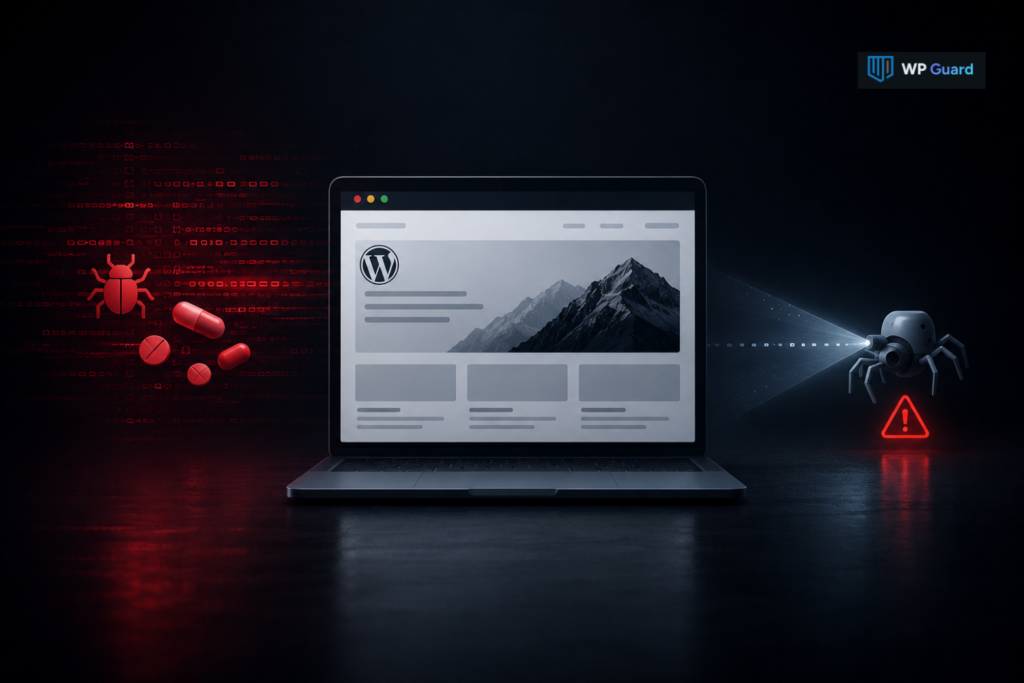
The pharma hack is a type of malware that hides pharmaceutical spam links inside search results while your site looks normal to visitors. Attackers plant hidden pages or code that only search engine crawlers can see, so the damage stays invisible until rankings drop.
WordPress ends up a common target because its open plugin system creates more entry points than tightly closed platforms. Over 50,000 plugins are available in the official directory alone, and each one adds a possible weak spot for attackers to probe.
What’s more, most infections start small. Once attackers gain access through one weak spot, they inject code across your WordPress core files and spread from there. Outdated plugins, weak passwords, outdated software, and unpatched core files remain the most common ways in.
Website owners who keep tabs on WordPress security fundamentals close those gaps before attackers find them.
5 Clear Signs Your Site Has the Pharma Hack
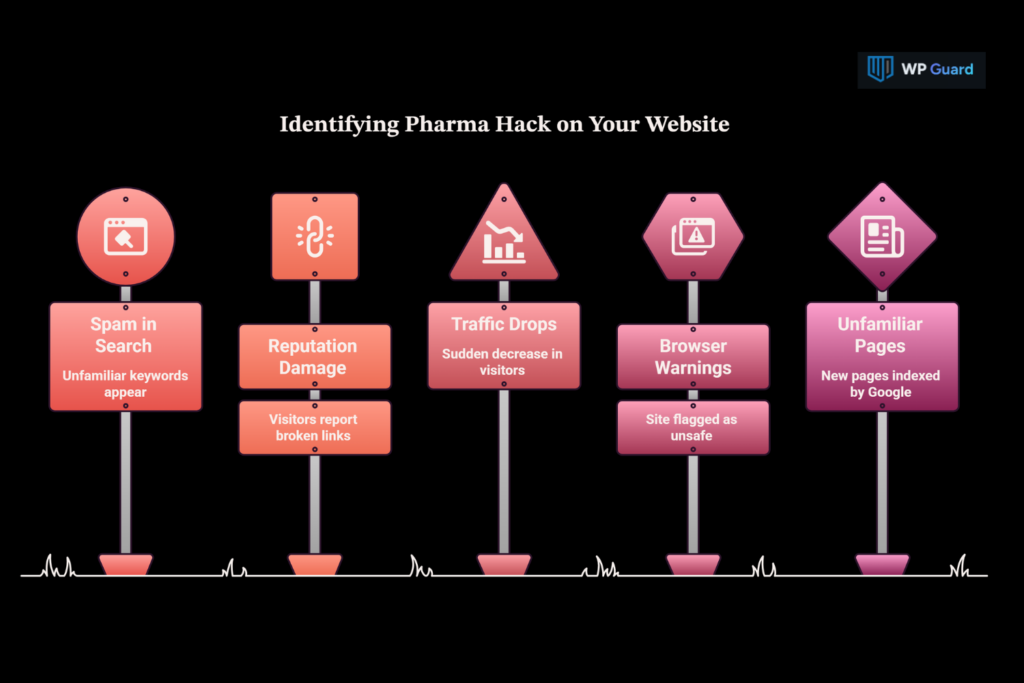
Ever searched your own site name and found spammy drug ads you never wrote? That’s usually the first clue something’s wrong. The pharma hack shows up in a few clear ways once you know what to check:
- Spam Terms in Search Results: Google search results display pharmaceutical spam or unfamiliar spam keywords tied to your pages, even though your content never mentioned them.
- Reputation Damage from Visitors: Your site’s reputation, and eventually your website’s reputation with search engines, takes a hit when visitors report broken links, weird redirects, or landing on pharmaceutical websites instead of your homepage.
- Sudden Traffic Drops: Website traffic crashes fast, especially from search engines, without any visible changes to your actual content or design.
- Browser Security Warnings: Chrome or Safari may flag your site as unsafe when you have a pharma hack. In that case, it scares off website visitors before they even load a page.
- Unfamiliar Pages Indexed: Google indexes pages you never created, often stacked with pharmaceutical keywords and links to other spammy websites.
If you spot any of these, don’t wait around. Early action limits how much SEO spam Google indexes against your own site, and it protects security for your website visitors too.
Same Hack, Different Name: The Google Viagra Hack Explained
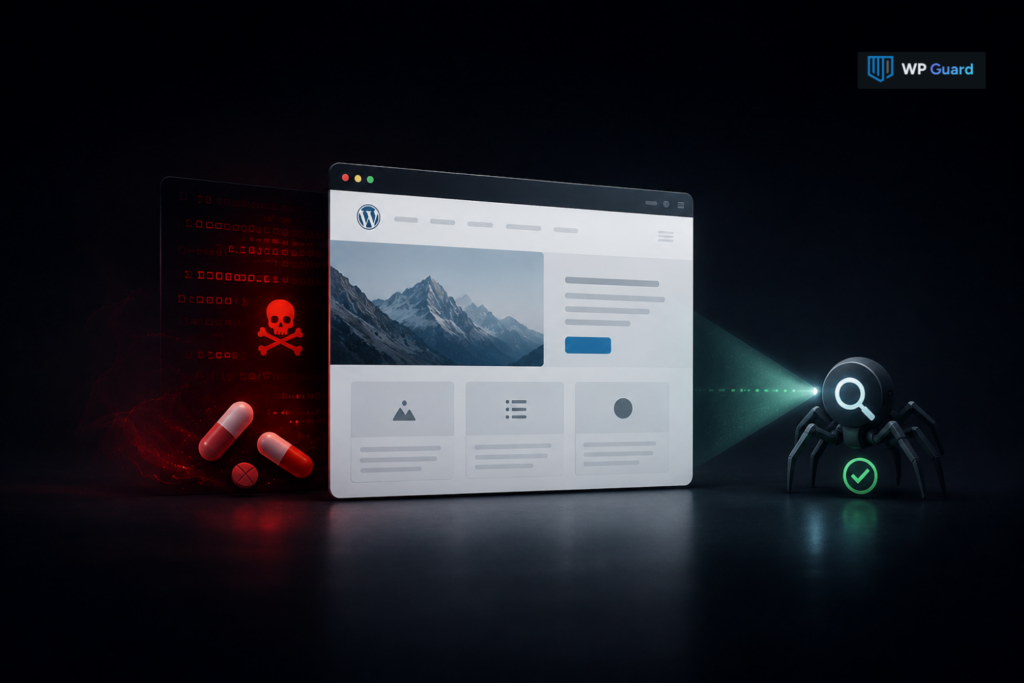
The pharma hack and the google viagra hack are the same malware, just named differently. Early infections mostly pushed drug ads, so the wordpress viagra hack name stuck around long after the spam diversified.
A compromised site shows the same symptoms either way. The naming only reflects the type of spam pushed, rather than a different attack method.
Here are a few things that stay consistent across both names:
- Malicious content still gets indexed on your pages
- WordPress remains the most targeted platform overall
- Naming confusion often delays owners from acting fast
- Your website’s security still needs the same cleanup response
Whatever you call it, the fix stays identical.
Where the Pharma Hack Hides in Your WordPress Files
The pharma hack usually hides inside theme files, the .htaccess file, or your database tables. Attackers pick these spots because most site owners rarely check them during a routine look-around, which turns a small security issue into a bigger one over time.
Here’s a quick breakdown of where to search first.
| Location | What to Check |
| Theme Files | Look for unfamiliar functions added to header.php or footer.php |
| Core WordPress Files | Compare file dates against a fresh WordPress install |
| .htaccess File | Scan for redirect rules you didn’t add yourself |
| Database Tables | Search wp_options and wp_posts for hidden links |
Attackers modify core WordPress files to inject malicious code that stays invisible to regular site visitors. They often bury it inside hidden files with names that mimic real WordPress files, which makes it easy to miss during a quick scan.
The .htaccess file and database tables remain common hiding spots too, since both control how your site handles traffic behind the scenes. These security issues rarely show up in a surface-level look, which is why website owners need a full pass through their WordPress files.
Step-by-Step Process: Clean Pharma Hack WordPress Website
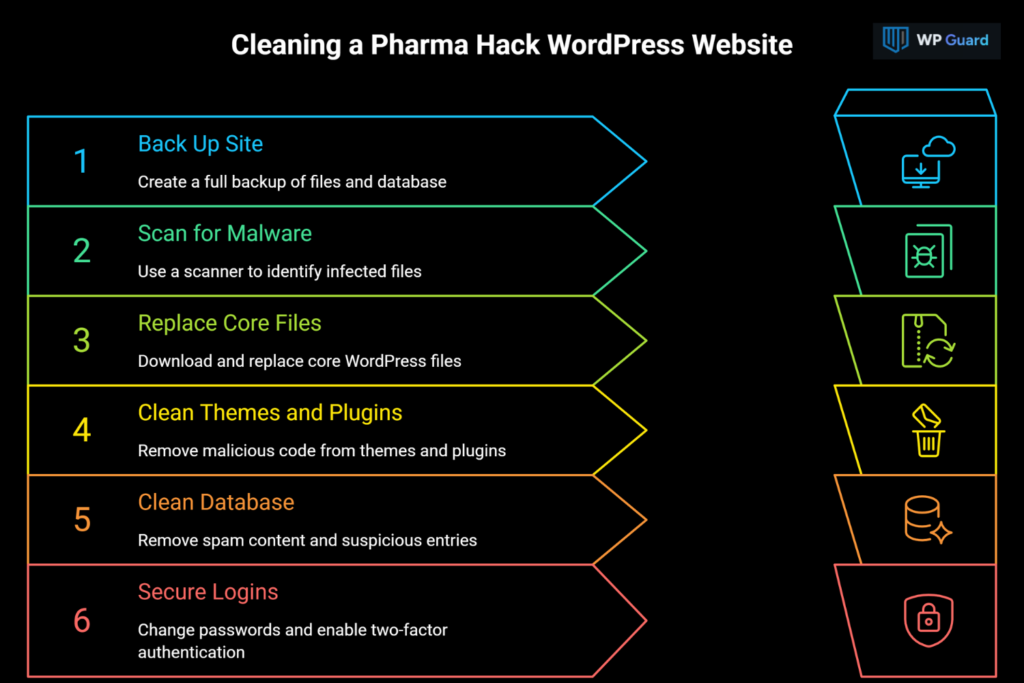
The best part about following these steps in order is that you can easily detect hidden reinfection points. Let’s walk through each step, starting with the one most people skip first.
Step 1: Back Up Your Site Before Touching Anything
Always create a full backup of your files and database before starting any cleanup work. That way, you can restore everything if a step accidentally deletes something your site needs to run.
Keep the backup somewhere separate from your web host. The benefit of doing so is that attackers who still have access can’t reach it there.
Step 2: Scan with a Malware Scanner to Find Infected Files
A malware scanner identifies infected files faster than checking every file by hand.
Look for scanners that check both core files and custom theme or plugin code because attackers often hide in both places. Our free WP Guard scanner flags file paths directly, and from there, you can confirm infections before removing anything.
Step 3: Replace Core WordPress Files with Clean Versions
Download fresh copies of your WordPress core files straight from the WordPress.org repository. Replace every core file except wp-config.php and the wp-content folder. Those two hold your site-specific settings, so overwriting them wipes out your configuration.
After replacing, this setup removes injected code hidden inside your WordPress installation without touching your actual content.
Step 4: Remove Malicious Code from Themes and Plugins
Compare your theme and plugin files against clean versions to spot unauthorized code changes.
From there, delete any plugins you don’t recognize or never installed yourself, since these often hide backdoors. Better yet, reinstall themes and plugins from official sources instead of patching infected versions, which rarely removes everything.
Step 5: Clean the Database of Spam Content
Search your database tables for suspicious links, spam keywords, or unfamiliar admin accounts you didn’t create. Remove spam content directly from posts, comments, and options tables (where it usually hides).
To do this safely, use a database cleaning plugin or phpMyAdmin to search and remove these entries manually.
Step 6: Lock Down Login Security to Stop Reinfection
Change every password right away, including hosting, WordPress admin, and database login credentials.
On top of that, enable two-factor authentication so attackers can’t get back in even if they steal a password again. Finish by limiting login attempts and removing any unfamiliar admin accounts created during the infection.
Once you’ve worked through all six steps, your site should be clean. But cleanup alone doesn’t guarantee your search rankings bounce back right away.
Search Engine Rankings After Cleanup: What Happens Next
Search rankings often recover gradually, instead of resolving overnight. That’s mostly because Google needs to recrawl your cleaned site first.
If your site got hit with a manual penalty, submit a reconsideration request through Search Console. Check Google Search Console for the security issues report first. It shows exactly what triggered the penalty. Explain the fixes you made, and Google’s team will review your site again.
On the flip side, if you never received a manual penalty, rankings typically bounce back on their own as search engines recrawl your pages, and organic traffic follows shortly after.
Either way, check Google Search Console weekly using the URL inspection tool to confirm spam listings disappear completely. You need to give it time, too. Recovery can take anywhere from a few days to several weeks, depending on how deep the infection went.
When Manual Cleanup Isn’t the Right Call
Not every infection is a DIY job, and knowing when to stop can save you more damage than starting caused. Manual cleanup works fine for confident site owners comfortable editing core files and databases by hand.
But complex infections spanning multiple files often need professional malware removal instead. A wrong deletion during manual cleanup can break your site worse than the pharma hack itself, especially if you’re not sure what a file is supposed to do.
And this is one of the more common security incidents we see reported by website owners who tried to fix things alone.
For business owners juggling more urgent priorities, a security plugin or managed service handles the cleanup process without the guesswork. That trade-off often costs less than the hours lost troubleshooting a broken site alone.
Web Application Firewalls: Website Owners’ Next Line of Defense
A web application firewall filters traffic before it reaches your site, blocking known attack patterns before they cause damage. It works alongside your existing defenses in a few key ways:
- Patches Stay Necessary: Updates patch vulnerabilities a firewall alone can’t catch, so downloading fresh files from the official WordPress repository still matters.
- Outdated Risks Remain: Outdated software stays a risk even while a firewall runs in the background, catching what patches miss.
- Passwords Still Count: Strong passwords stop attackers who manage to slip past the firewall’s filters.
- Size Doesn’t Matter: Own websites of any size benefit from this layer, since attackers don’t discriminate by traffic numbers.
If you simply add a firewall now, any future attacks will have one more wall to get through before reaching your site.
Keep Site’s Reputation Preserved from Pharma Hack
You now know how to clean a WordPress pharma hack from start to finish. Backups, scans, file replacement, and login security cover the technical side. What happens next determines whether the fix actually holds.
That’s why ongoing security habits count for more than the cleanup itself. Regular security audits, paired with a strong WordPress protection plan, catch new threats before they turn into another full cleanup. That keeps your WordPress website protected long-term.
And future attacks tend to target sites that skip these habits first. Stay ahead of them, and your site will remain yours.
Quick Questions About the Pharma Hack (FAQs)
Still have questions after everything above? Here are a few more answers covering the pharma hack and related WordPress security concerns.
1. Can You Fix a WordPress Pharma Hack Without Deleting Your Site?
Yes, you can fix a WordPress pharma hack without deleting your site. Back up your site files first, then follow the cleanup steps in order so nothing gets lost. This keeps your infected site intact while attackers lose their foothold completely.
2. Does a Pharma Hack Always Target WordPress Websites Specifically?
Pharma hack attacks mostly target WordPress websites, though pharma spam can hit other platforms too. Vulnerable PHP scripts on any CMS create the same opening attackers look for. Security measures that patch these gaps work regardless of platform.
3. What Security Measures Stop Pharma Spam Injections for Good?
Layered security measures work best against pharma spam injections. One fix alone rarely stops attackers. They’ll just find a new way to load malicious code through spam injections again. Combining a firewall, updates, and scans closes most reentry points.
4. How Do You Know If It’s a Compromised Site or Just Slow Performance?
Check search engine results for your domain name first. A compromised site usually shows suspicious code or suspicious files, not just a slower load time. Search engine results tied to spam terms confirm it’s more than a performance issue.
5. Can Search Engine Crawlers Spread Malicious Content to Other Sites’ Users?
Search engine crawlers index and surface malicious content; they don’t spread it directly themselves. But other sites’ users on their own websites can still get exposed if they click through from indexed search results. That’s why fast cleanup protects more than just your own site.