WordPress Spam Cleanup: Practical Solutions That Work
You delete hundreds of spam comments before bed. However, by morning, your WordPress site is full of them again. Sound familiar?
Unfortunately, comment spam is just one way spam bots target WordPress sites. They can also create fake posts, inject phishing links into your site’s content, and build entire spam pages that hurt your search rankings. Since WordPress powers over 41% of all websites, it is the most common target for spam attacks on the web.
The problem is that most site owners only remove the visible spam posts from their WordPress dashboard. As a result, the bots generating the spam keep coming back.
This guide will walk you through every type of website spam. You’ll also learn how to remove spam from WordPress and stop it from coming back without making your entire site harder for real users to use.
The first step to stop spam for good is to identify where it’s coming from.
Identify and Remove Spam From Your WordPress Website
Spam cleanup starts with knowing what you’re dealing with and where to find it. Most spam on WordPress sites isn’t limited to the comments section. It hides in user accounts, spam posts, contact forms, and even your WordPress database.
Here’s how to spot it all and clean it up the right way.
Identify the Type of Spam Affecting Your WordPress Website
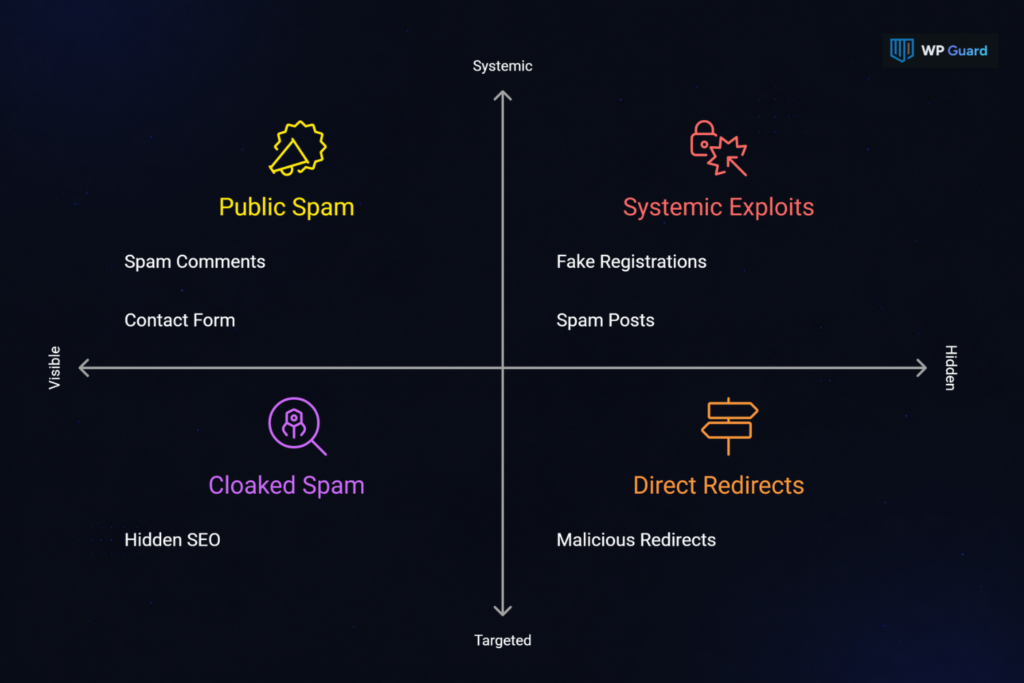
Not all WordPress spam is the same, and different types require different solutions. Before you start removing anything, identify the type of spam affecting your site. That way, you can fix the root cause instead of just removing the visible bot activity:
The most common types include:
- Spam Comments: You wake up to hundreds of fake messages in your comments section, most of them stuffed with phishing links or random product promotions. They usually sound generic, something like “Great post! Visit my site…” and they almost always arrive in huge batches overnight.
- Fake User Registrations: Open registration is an open invitation for spam bots. They’ll flood your site with junk accounts using disposable emails like @tempmail.com and random usernames like user938xyz. Left unchecked, these accounts can clog your WordPress database and even help attackers gain access to your admin panel.
- Contact Form Spam: Bots submit junk forms filled with fake emails, malicious links, and nonsense text. This often means real messages get buried fast without spam protection on your forms.
- Spam Posts and Pages: This type can affect your entire website, instead of just your comments. Hackers publish unauthorized spam posts or inject hidden pages loaded with malicious code and pharmaceutical keywords (to rank for high-traffic medicine searches and redirect visitors). The goal is to hijack your SEO rankings and exploit your domain’s authority.
- Hidden SEO Spam: Attackers inject spammy keywords into your site’s content using a technique called cloaking. It shows spam content to search engines while showing your normal site to visitors. This makes hidden SEO spam one of the hardest types to notice. But you can check Google Search Console for unusual keyword spikes to catch it early.
- Malicious Redirects: Unlike hidden SEO spam, malicious redirects send visitors away from your site entirely. Your site may look normal when you visit it directly, but people arriving from search results can get redirected to spam websites, phishing pages, or fake product sites.
Now that you know where each type of spam appears, you can remove it more effectively. Comment spam collects in your moderation queue, while registration spam fills your user list. Other types, like SEO spam, can hide inside your theme files, .htaccess file, or WordPress database.
Remove Comment Spam From Your Comments Section
Comment spam is usually the first thing you’ll notice, and the easiest to fix.
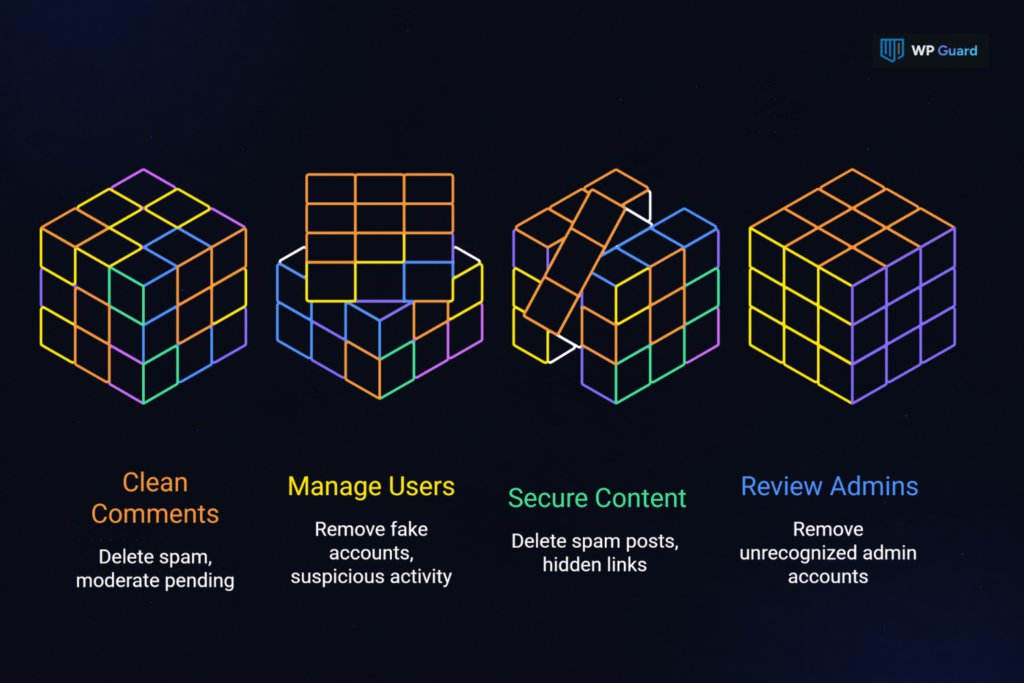
Simply head to your WordPress dashboard, click on Comments, and check the Spam tab. WordPress automatically collects flagged spam comments there, so select them all and delete in bulk.
Once that’s done, review your pending comments in comment moderation. There, look for repeat offenders, specifically the same IP addresses or comment author names showing up again and again. You can block those IP addresses through your hosting control panel or a security plugin.
We also recommend turning on admin approval so every comment needs manual approval before going live.
Delete Fake Users, Spam Posts, and Malicious Content
Believe it or not, over 50% of WordPress attacks come from automated bots. This is because spam accounts can multiply quickly with open user registration.
To prevent this, go to Users in your WordPress dashboard, sort by registration date, and delete anything with suspicious usernames, disposable emails, or zero activity.
From there, check your posts and pages for content you didn’t create. Usually, Spam posts packed with hidden links or pharmaceutical keywords trick search engines into ranking your domain for shady products. Select these unwanted posts in bulk and move them to the trash.
While you’re at it, review your administrator accounts too. Attackers often create hidden admin accounts to maintain access after a cleanup. Remove any admin you don’t recognize, change your passwords, and back up your entire site.
Do this before inspecting your WordPress database for injected malicious code or spam entries. That way, you have a clean backup to restore if you accidentally delete or change something important.
Secure Your WordPress Website Against Future Spam
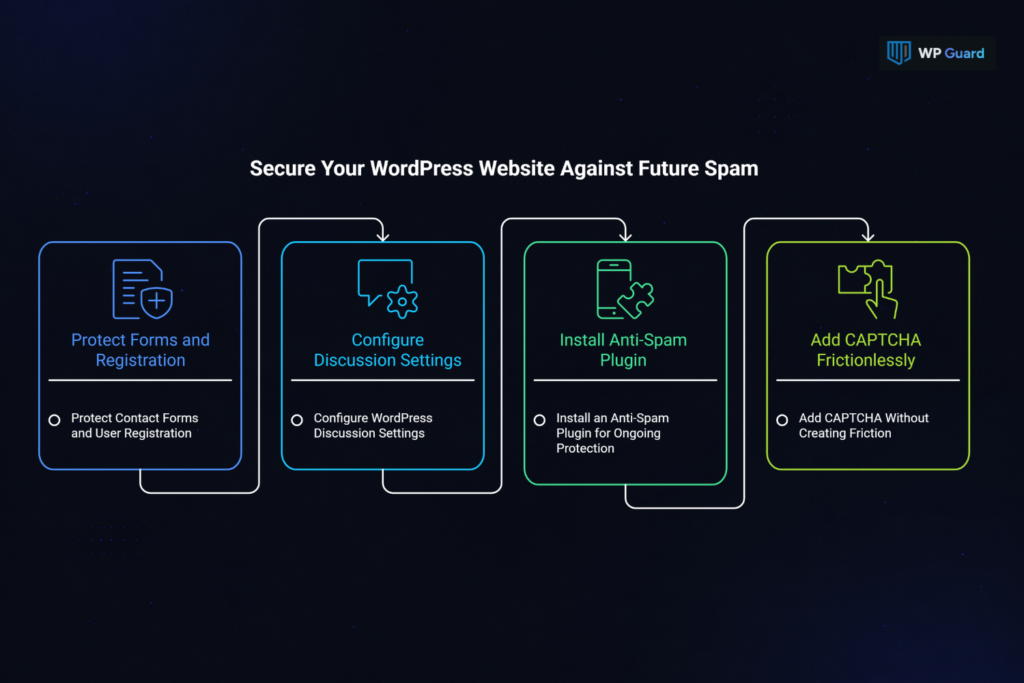
If you don’t lock down the entry points, the same spam attacks will come right back. The following anti-spam methods will help you stop spam before it ever reaches your WordPress site.
Protect Contact Forms and User Registration
Contact forms and open user registration are two of the easiest entry points for spam on most WordPress sites. Spam bots target them because they’re public by default, and a lot of site owners never change the settings after the initial setup.
A good starting point is using a form builder with built-in spam protection, like WPForms or Gravity Forms. These plugins let you add honeypot functionality to your form fields. A honeypot is a hidden field that real users never see, but spam bots fill it out automatically (which flags the submission as junk).
Forms aren’t the only place spam can enter your site. For the registration process, turn on email verification for new user accounts. This single step will filter out most fake emails and keep spammers from flooding your user list.
However, if your WordPress website doesn’t actually need open registration, here’s the simplest fix. Disable open registration under Settings > General > Membership by unticking “Anyone can register.” And if you use a membership or ecommerce plugin with its own registration system, check those settings separately.
Configure WordPress Discussion Settings
Many WordPress sites skip this entirely, but WordPress includes built-in spam protection that works well once you configure it. Head to Settings > Discussion in your WordPress dashboard to get started.
First, check “Comment must be manually approved.” This runs every new comment through comment moderation before it goes live. Next, set the link threshold to one or two (since most spam comments are packed with multiple links).
You can also add common spam keywords like “casino” and “viagra” to the comment moderation box. WordPress will hold anything containing those words until you review it.
Pro tip: For old posts nobody’s watching, close comments on posts older than 90 days. These discussion settings won’t catch everything, but they’ll prevent spam comments on most sites without any extra plugins.
Install an Anti-Spam Plugin for Ongoing Protection
For spam prevention, a good anti-spam plugin should automatically filter spam comments, scan form submissions for known patterns, and check IP addresses against global blocklists. They can also use behavioral analysis to catch human spammers that slip past basic filters.
Akismet is the most popular choice. It’s a free plugin for personal use and has blocked over 500 billion spam entries across WordPress sites since 2005. However, if you want a free plugin with no API key or external account required, Antispam Bee is another solid pick. Both handle automated spam well.
Remember that an anti-spam plugin can only filter incoming spam. They won’t remove malicious code already sitting on your site. This means if your WordPress website has been hit with SEO spam or unauthorized spam posts, you’ll need a full cleanup first.
Add CAPTCHA Without Creating Friction
Google reCAPTCHA v3 runs as an invisible CAPTCHA in the background. It scores each visitor from 0.0 (likely a bot) to 1.0 (likely human) based on behavior.
But we’ll be lying if we say legitimate users never see a puzzle or checkbox. Plenty of users still face the classic “click every square with a traffic light” challenge when a site decides it needs extra proof.
But once you decide to add CAPTCHA protection, setting it up only takes a few steps.
For starters, register at Google’s reCAPTCHA admin page to get your Site Key and Secret Key. Then install a reCAPTCHA plugin, open its settings page in WordPress, and paste the keys into the Site Key and Secret Key fields. Add CAPTCHA to your contact forms, login page, and registration page first. Those are the spots spam bots hit hardest.
If privacy matters to you, hCaptcha is a solid alternative that doesn’t send user data to Google.
Either way, combining CAPTCHA with the anti-spam methods above gives your WordPress site stronger spam protection while keeping things easy for real users.
Prevent Spam Before It Reaches Your WordPress Website
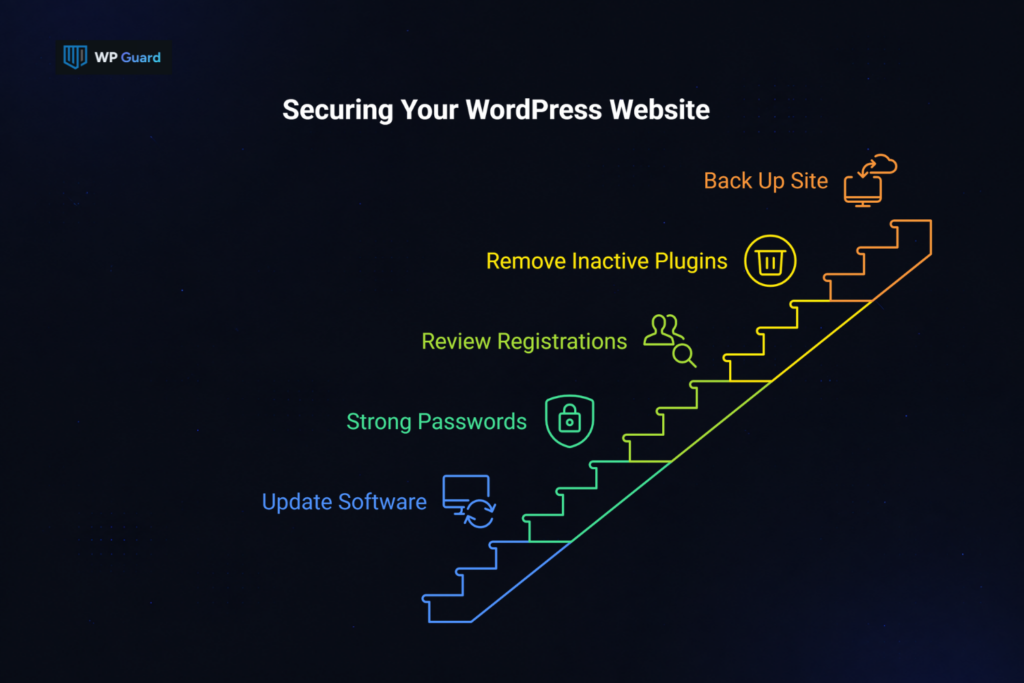
The best way to stop spam is to prevent it from showing up at all. A few habits go a long way:
- Keep WordPress, plugins, and themes updated
- Use strong passwords and two-factor authentication
- Review user registrations and audit admin accounts regularly
- Remove inactive plugins and scan for malware
- Back up your site and monitor Google Search Console for unexpected pages
These steps reduce the main ways spam can enter your site and help you catch problems early. Now, should you disable comments entirely? If your posts still get real engagement, keep them open. Just close comments on old posts and let your spam protection layers do the work. But if your comments section is nothing but junk, turning them off site-wide makes more sense.
Our team at WP Guard keeps WordPress sites clean by monitoring for spam, malware, and security threats around the clock. If you want expert help to avoid spam for good, we’re here.
FAQs About WordPress Spam Removal
Still have questions? Here are the most common ones we hear from WordPress site owners dealing with spam.
Why Am I Getting So Much Spam on My WordPress Site?
Most spam isn’t personal. Spam bots target many WordPress sites automatically because WordPress powers over 41% of the web. Bots crawl the internet looking for open comment forms and registration pages to submit comments on, and your site is simply one of millions in the queue.
Can Spam Comments Hurt My SEO Rankings?
Yes, indirectly. Search engines like Google may downrank sites with excessive spam because it signals poor quality control. Spam comments also slow your site down, hurt user trust, and can lead to spam pages appearing in search results.
Can I Stop Spam Without Using CAPTCHA?
Absolutely. Built-in comment moderation, anti-spam plugins, honeypots, and behavioral detection can fight spam very effectively. These spam prevention tools work in the background and prevent spammers from getting through without adding any friction for real visitors.