How to Tell if Your WordPress Site Has Been Hacked
Is your WordPress site sending visitors to a strange URL, throwing up ads you never approved, or just acting completely off? If so, it may have been hacked.
The uncertainty is what gets most people. So believe us when we say, you’re not the first to type “how to tell if a WordPress site is hacked” hoping for a straight answer. Most website owners rarely realize something is wrong until the damage is already done.
At WP Guard, we deal with compromised websites every day. And in this article, we’ll share our firsthand observations on what those warning signs actually look like.
You’ll also get to know:
- How to quickly confirm whether your site has been hacked
- The warning signs hackers deliberately design to stay hidden
- The first three steps to take the moment you find one
Without further ado, let’s get into it.
Why WordPress Sites Get Hacked in the First Place
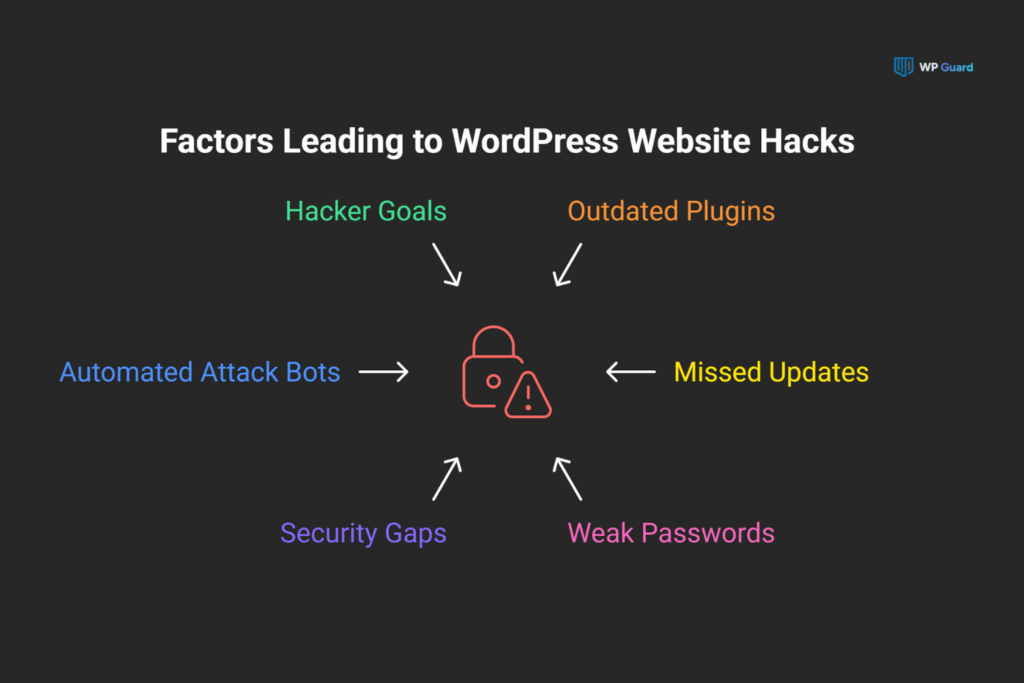
WordPress powers over 43% of all websites globally. For automated attack scripts, that market share makes it the most rewarding platform to probe. Those scripts don’t pick victims manually. They scan the internet around the clock and hit millions of WordPress websites at once, looking for any exploitable gap.
The motive is almost always money. Hackers use compromised sites to run ad fraud, steal customer data, and distribute spam at scale. Some plant malware directly on your pages so visitors’ devices get infected on arrival. Others sell compromised server access on underground markets or redirect your traffic to generate revenue elsewhere.
And WordPress websites make that easy, because so many of them run with unaddressed security gaps. A missed update or a weak password is often enough for an attacker to get in. From there, they work methodically, and the sites with the least protection tend to go first.
Common Signs Your WordPress Site Has Been Hacked
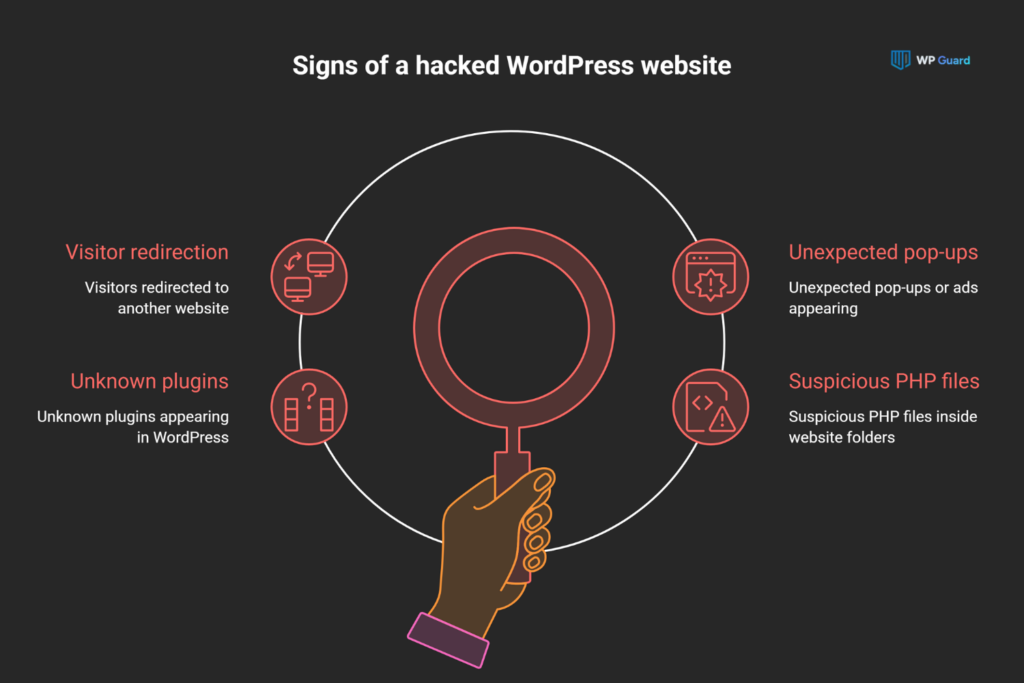
We understand keeping track of everything is tough, but some signs don’t need a technical eye to catch. Here are the ones to watch for first:
Your Site Is Redirecting Visitors to a Different Website
Someone clicks your link from Google and lands on a spam or adult content site instead. That’s a redirect hack.
Hackers slip the code into your wp-config.php or theme files specifically so it stays invisible to anyone logged into the admin area (most site owners only find out when a customer mentions it). A quick way to check is to visit your site in incognito mode from a separate device.
Pop-Ups or Ads Are Appearing That You Never Set Up
Nine times out of ten, these show up for visitors arriving from Google search results, not for you directly. The ads generate revenue for whoever compromised your site, and you won’t see a single one of them yourself.
The bigger issue is where those ads lead. Visitors get directed to phishing pages where their personal data and login credentials become easy targets for theft. That’s a reputational problem your business may not recover from quickly.
Plugins or Files Are Showing Up That You Never Installed
Unfamiliar plugins in your WordPress dashboard are a serious red flag.
We’ve seen sites lose months of SEO progress because a rogue plugin sat undetected for weeks and ran a redirect the entire time. Hackers install these to create hidden backdoors, and those backdoors stay active even after you reset every password.
Suspicious Hypertext Preprocessor (PHP) files inside wp-content directories point to the same problem. Files that don’t belong there give attackers direct server-level access to your WordPress files and database.
Not every hack announces itself this clearly, though. Some attacks are built specifically to stay under the radar, and those are the ones that do the most lasting damage.
WordPress Hacks That Are Hard to Spot on Your Own
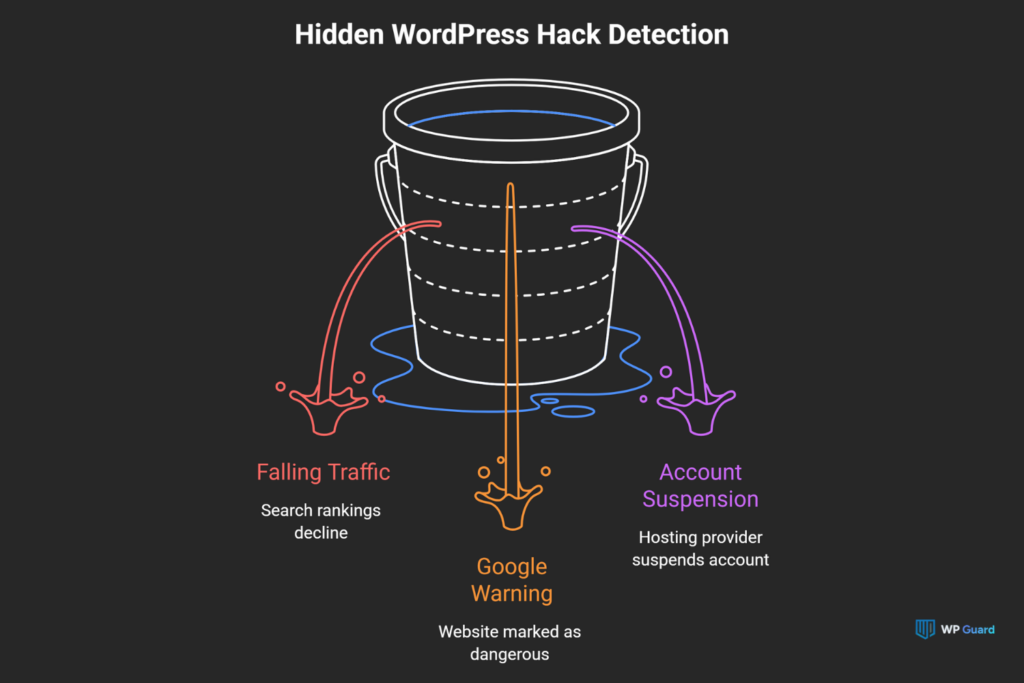
Most WordPress hacks are designed to stay undetected for weeks, sometimes months. Unlike the visible signs covered above, these ones don’t show up on your site at all. They surface in your traffic numbers, Google search listings, and hosting account.
Let’s walk through each of them:
1. Your Traffic or Search Rankings Drop With No Clear Cause
Sometimes a traffic drop has nothing to do with your content or SEO efforts. Malware can reroute visitors to other URLs entirely. From your perspective, Google Analytics may simply show a decline, even though you haven’t changed anything recently.
Spam pages indexed under your domain make it worse. In fact, your legitimate content loses ground in search engine rankings with each day those pages stay live.
2. Google Flags Your Site as Dangerous in Search Results
That ranking drop can be Google’s direct response to detecting malware on your site. When that happens, Google Safe Browsing places a full warning screen in front of your pages. Visitors see that warning before they see anything you’ve published, and most won’t proceed.
If you want to check how far the damage extends, start with a site:yourdomain.com search in Google. It shows whether spam content or foreign language pages appear under your domain.
Google Search Console (GSC) goes a step further and surfaces specific security alerts and flagged URLs pointing directly to the affected pages.
3. Your Hosting Provider Suspends Your Account Without Warning
A suspension notice from your hosting provider is a wake-up call that something serious has already happened on your server.
Hosting companies usually scan server activity continuously. If they detect infected files overloading server resources, they suspend the account immediately. Your hosting provider also sends an abuse notification naming the specific issue.
Other websites on the same shared server face the same risk, and most web hosts act immediately to contain it.
Now that you know what to look for, the next step is confirming whether your site has actually been hit.
How to Check if Your WordPress Site Has Been Hacked
Not sure where to start? These six areas will tell you what you need to know (and if two or more flag something suspicious, move straight to the next section):
| Where to Check | What It Indicates |
| Google Search Console Security Issues tab | Active malware warnings, hacked pages, or deceptive content flagged by Google |
| Malware scanner on your WordPress site | Infected files, malicious code, or corrupted files inside core directories |
| wp-admin user accounts list | Unfamiliar admin users or accounts with administrator access you never created |
| wp-content and wp-includes directory | Suspicious PHP files or injected code that don’t belong in those folders |
| .htaccess file | Unauthorized redirect rules or unfamiliar code added outside your original configuration |
| WordPress core files | Unexpected modifications to standard files that should never change between updates |
A security plugin with real-time monitoring handles most of these checks automatically. Set up automatic backups before you dig in too. If cleanup goes wrong at any point, they will give you a clean restore point to fall back on.
What to Do After Confirming a Hacked WordPress Site
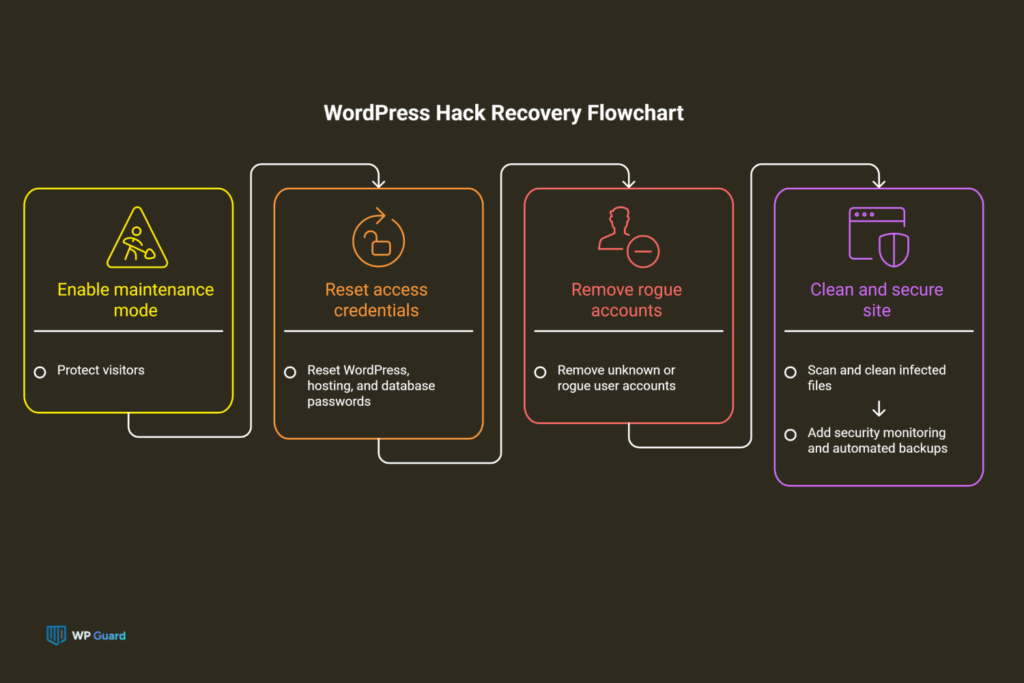
If you’ve confirmed a hack, take a breath. The recovery process is more manageable than it looks, and working through these four steps in order gets your site back on track again:
- Enable Maintenance Mode: Switch your WordPress site to maintenance mode right away. This keeps visitors away from affected pages while you address the issue. If you can’t access the wp-admin area, your hosting provider can step in and handle it directly.
- Reset All Passwords: Your WordPress admin password, hosting account credentials, and database passwords all need changing at once. Most breaches involve more than one compromised entry point, so changing just one password leaves the others exposed. Cover every account tied to the site.
- Remove Rogue Accounts: Pull up your admin users list and delete any accounts you didn’t create. Editor and author roles deserve the same check, since attackers don’t always go straight for administrator access. Any account you can’t verify should go.
- Clean Files, Then Harden: A full malware scan identifies which WordPress files need removing across every directory. Once the site is clean, a security plugin and automated backups are the two additions that matter most. One detects future threats early, the other gives you a restore point if those threats land.
At the end of the day, getting a hacked WordPress site back online is step one. The sites that stay clean treat security plugin monitoring and regular backups as standard practice rather than a response to something going wrong.
Don’t Wait for the Warning Signs
The signs covered above are patterns our team sees regularly, across sites of every size and industry. Catching any one of them early puts you miles ahead of the average response time.
That said, manual checks here and there won’t cut it. Regular malware scanning, user account audits, and file integrity monitoring are what keep a WordPress site safe between incidents.
WP Guard specializes in ongoing WordPress security monitoring and maintenance, and our team catches threats before they reach your visitors. If your site is showing any of these symptoms, we’re ready to take a closer look.
Contact us today, and we’ll run a full assessment of your site.
FAQs
Hacked sites are a growing website security concern, so it’s natural to have questions. These are the ones we hear most often:
Can Hackers Gain Access to My Site Through Plugin Vulnerabilities?
Yes, and it happens fast. When developers patch a security flaw, the details go public almost immediately. Attackers scan target websites for the unpatched version before most site owners see the update notification. Sites running outdated plugins for even a few days after a patch release become easy targets.
What Should I Do if I’m Having Trouble Logging Into My WordPress Admin Area?
Try a password reset first. If the reset email never arrives, check whether your admin account email address changed without your input. That points directly to unauthorized access.
Your hosting provider can restore your credentials through the database. From there, review your wp-config file for any modifications to the login configuration you didn’t make.
How Do Hackers Create Backdoors on Hacked WordPress Sites?
Attackers plant malicious files inside your site’s directories or inject code directly into existing ones. Some backdoors also hide inside local computer backup copies of theme or plugin files, so a full directory scan during cleanup is the only way to confirm every location.
File integrity monitoring tools like Melapress File Monitor catch unauthorized changes across your directories the moment they appear. This prevents new backdoors from going undetected.
Can a Hacked WordPress Website Send Spam Emails From My Domain?
In one word, yes. Attackers who control a server install scripts that distribute spam emails from your hosting account across multiple locations simultaneously. That volume triggers automatic blacklisting by Google and major email providers, cutting off legitimate email delivery from your domain entirely.
Your hosting provider typically sends an abuse notification at that point, and acting on it immediately limits the damage.
How Do I Keep My WordPress Site Secure Against Future Hacks?
Limit login attempts, use strong unique passwords, and restrict admin access to accounts that genuinely need it. The hosting environment also plays an important role. Sites hosted on managed WordPress hosting with built-in firewalls handle future attacks more reliably than basic shared plans.
A security plugin with real-time malware scanning catches threats early and gives you clear step-by-step instructions to resolve each one. Automated backups complete the setup and give you a verified restore point when a scan turns something up.